Code on your dev machine from iOS.

Install the VS Code extension, pair once, then open your workspace and localhost ports from iPhone or iPad - with mobile-first controls.

Install VS Code extension Download on the App Store
See platform components ->

Built for the AI coding era

When code is drafted by AI agents and refined by review, the best IDE is the one you can reach instantly. VibeGo keeps your real VS Code reachable from iOS - backed by your dev machine - so you can review, run commands, and ship from anywhere.

Persistent tunnels

Get a stable code-<uid>.vibego.me URL for your dev machine. When it's online, your phone can reconnect without re-pairing.

Command Bridge layouts

One tap swaps between full-width terminal, editor, or multi-panel layouts using official VS Code commands. No pinch zoom. No DOM hacks.

Coding bar shortcuts

On-screen shortcuts add arrow keys, ESC, Cmd/Ctrl combos, copy/paste, and one-tap port actions while you work in VS Code on iOS.

Voice-native dictation

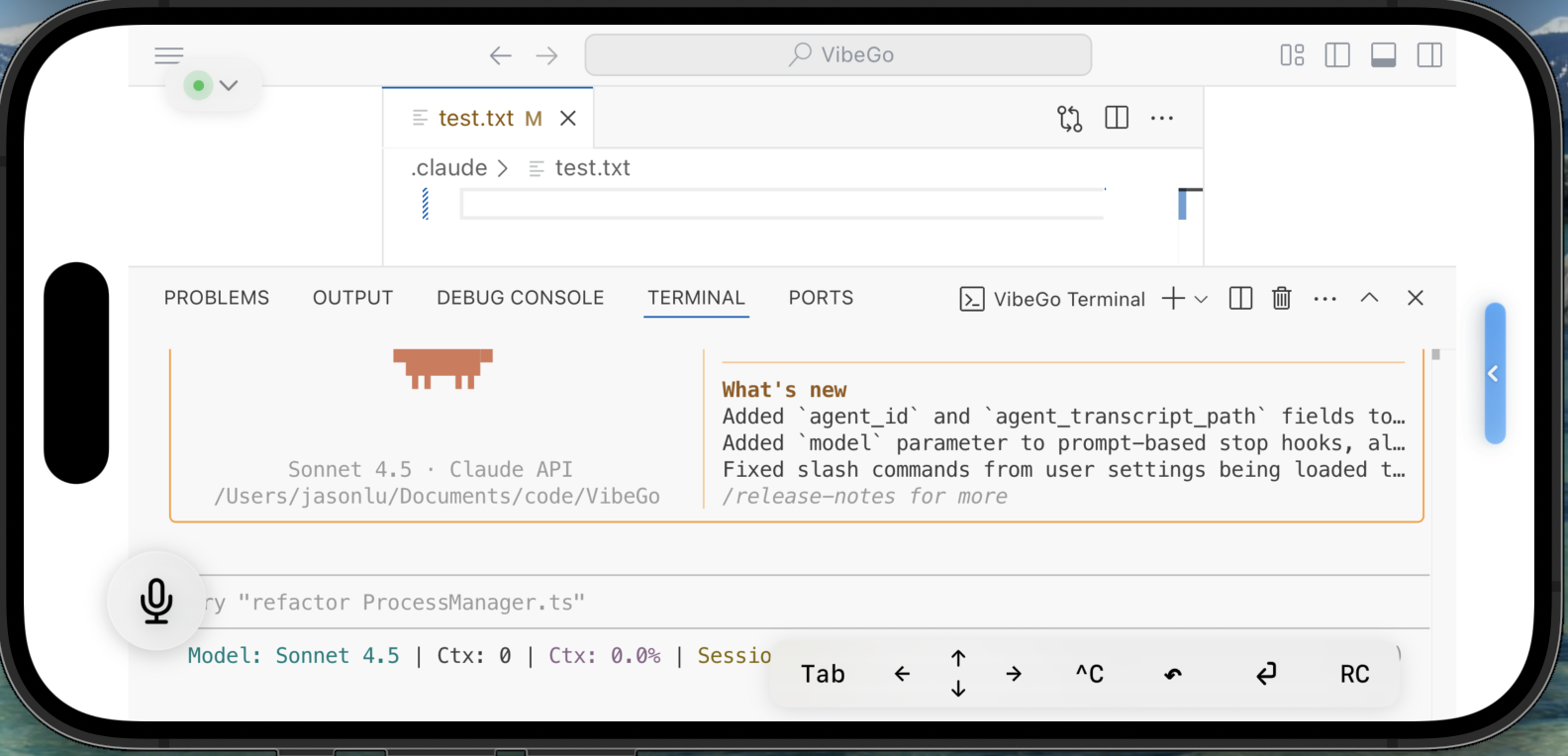
Dictate prompts to Claude, Claude Code, or Codex CLI directly from the workspace, then land changes without touching a laptop.

Agent-friendly design

Built for AI-first flows: keep the IDE visible on iOS, talk to agents, and jump into the terminal whenever you need manual control.

What it looks like

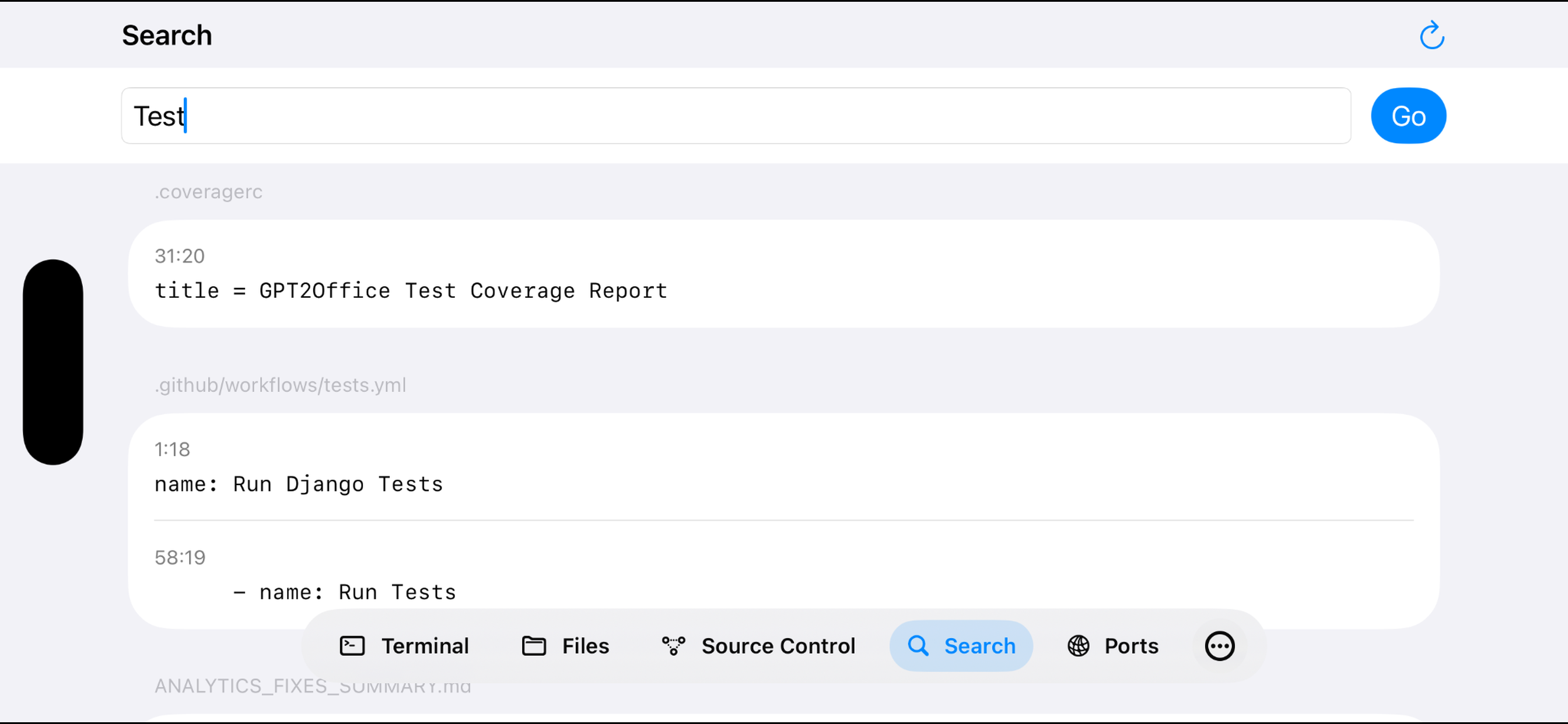
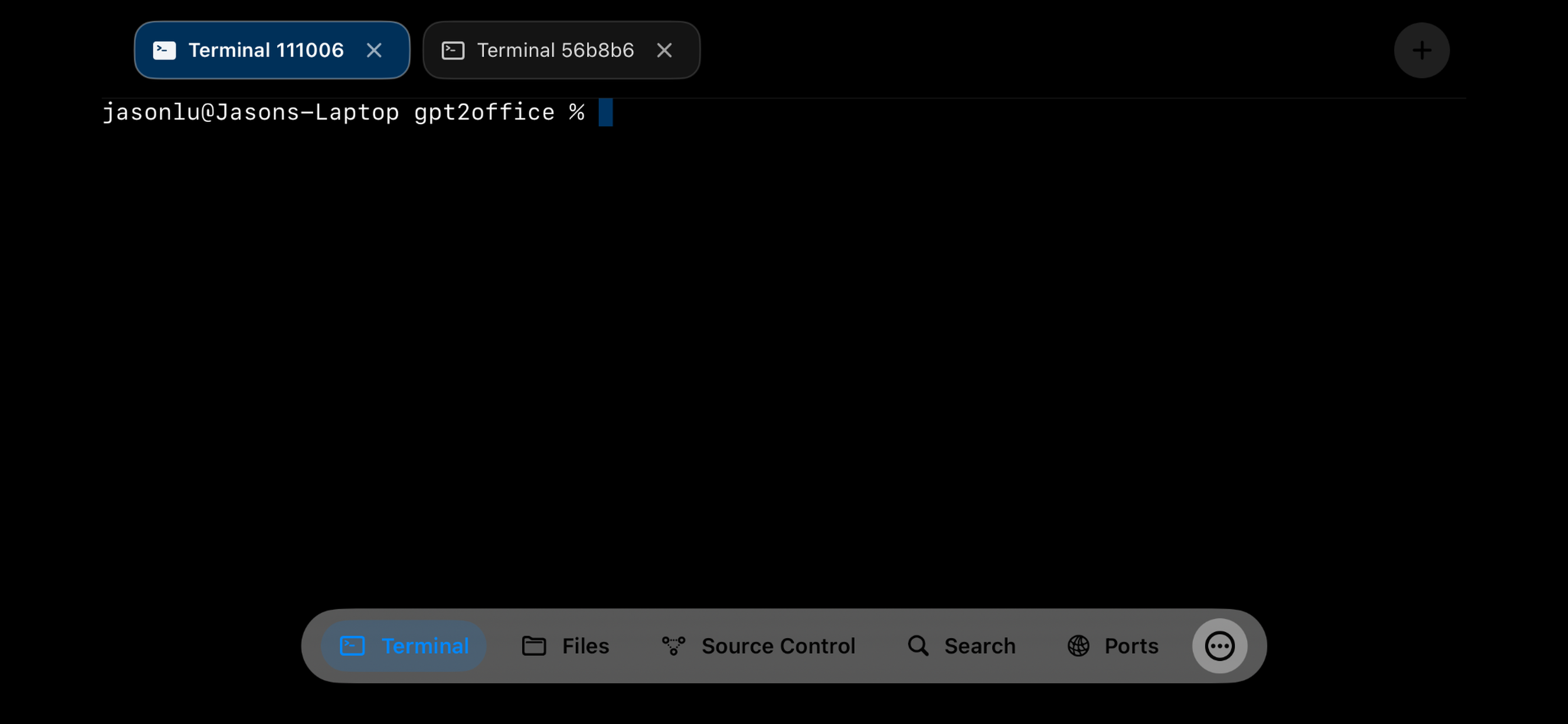
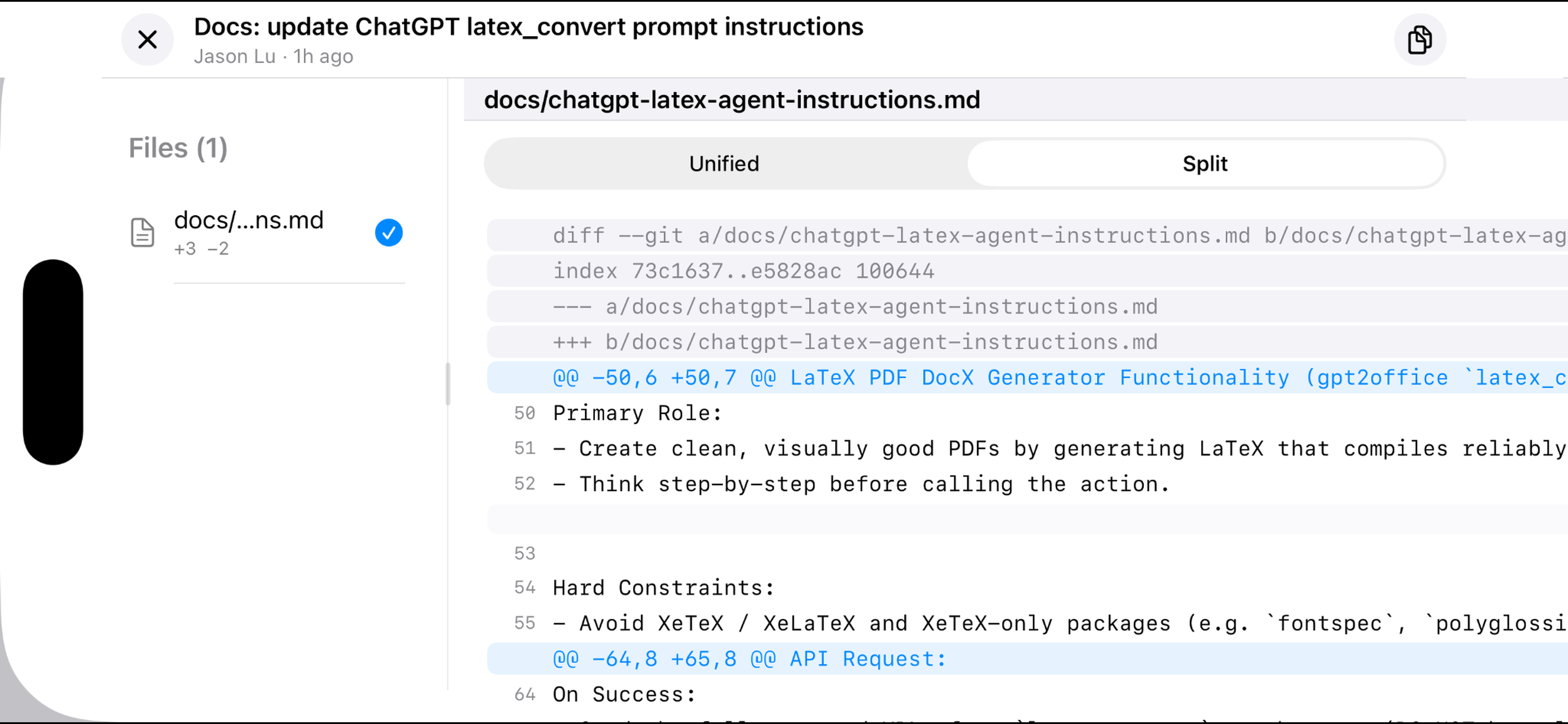
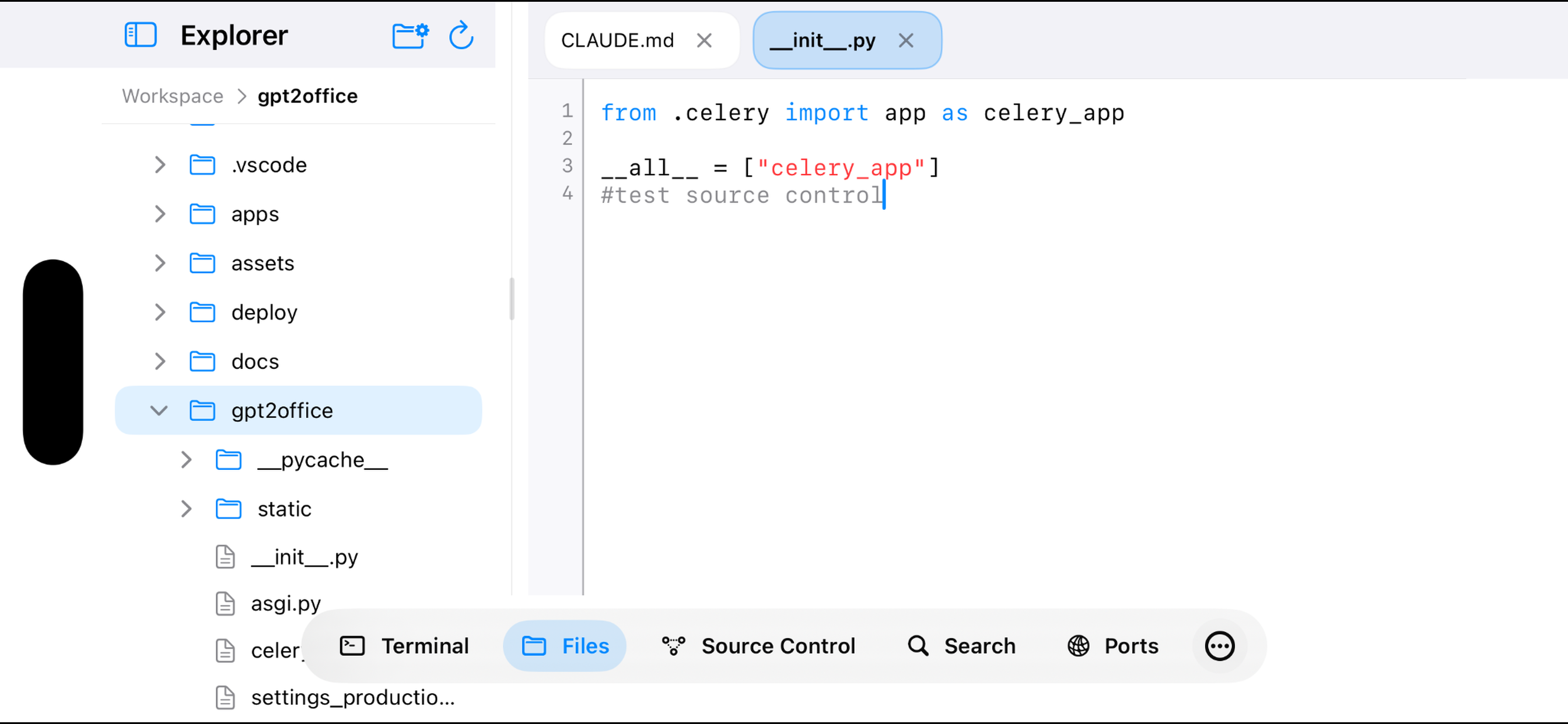
Switch between full VS Code and the native iOS workbench for fast navigation, terminal access, diffs, and source control.
Agent workflows
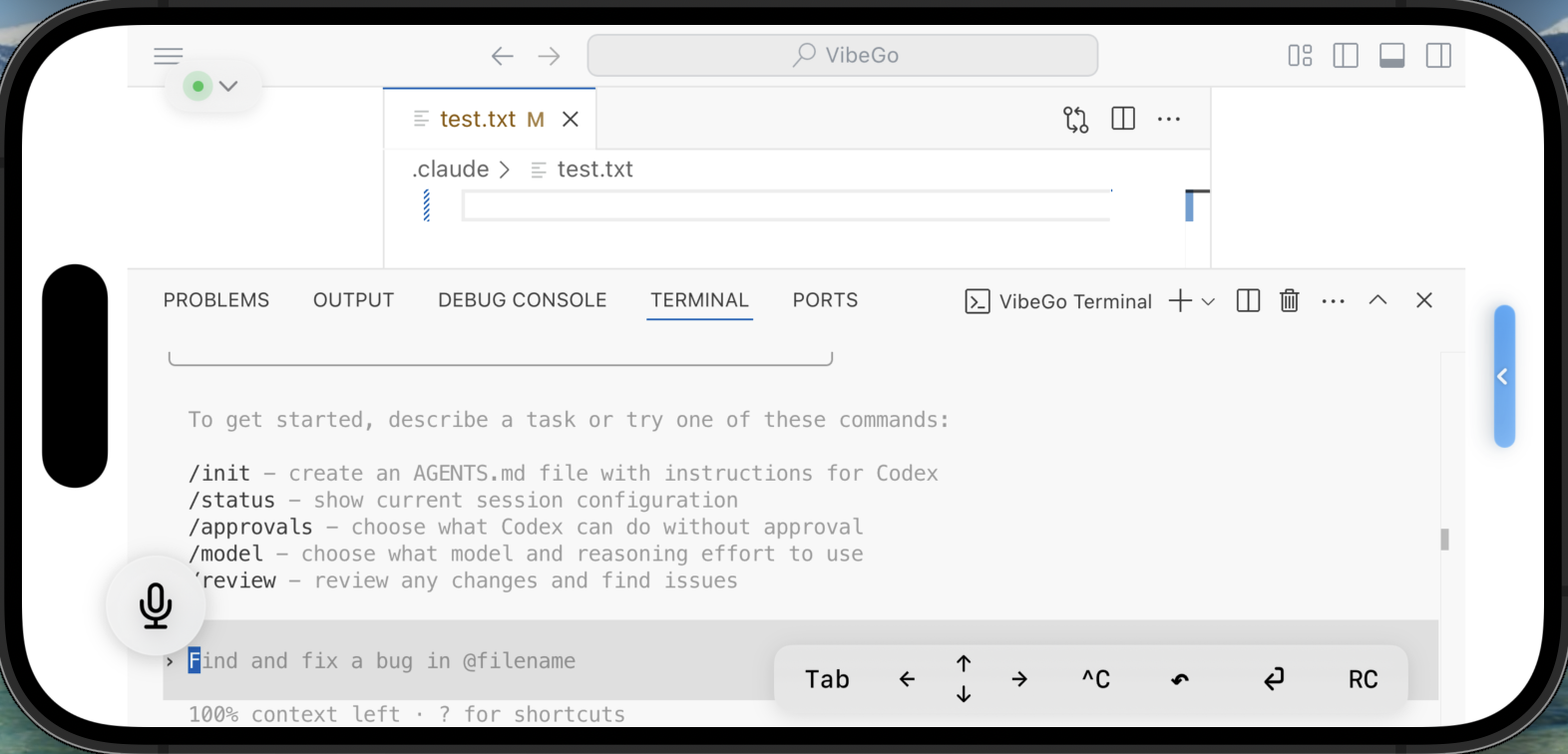
Claude conversation

Claude sits beside the explorer so you can narrate a fix, watch it land, and tweak the diff immediately.
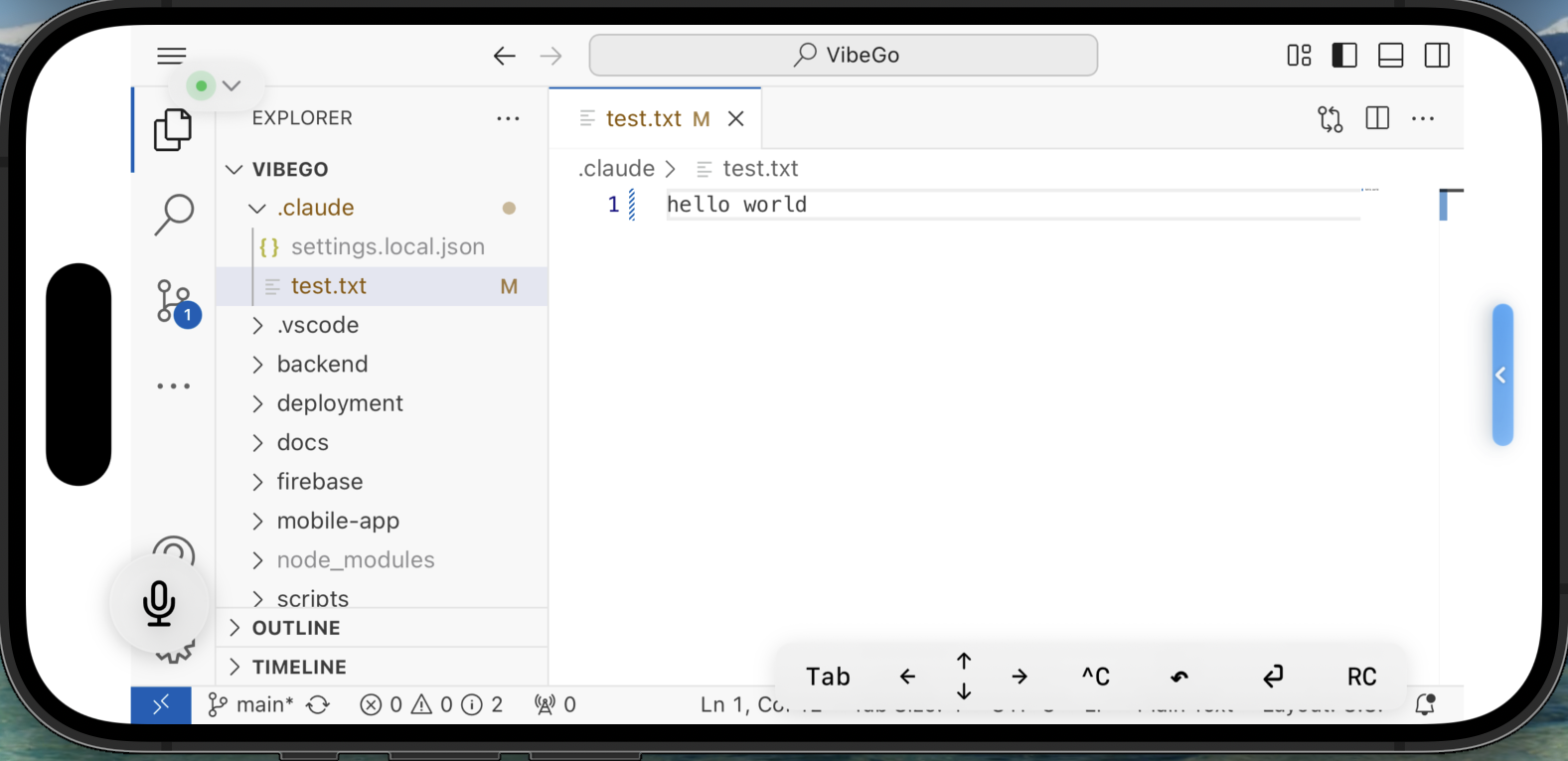
Codex and editor working together

Codex responses paste straight into the editor; Cmd+Enter re-runs your task without hunting for desktop shortcuts.
Voice & Coding Bar
Voice dictation and coding bar

Voice bubble and the Coding Row sit above VS Code so you can talk to agents, send hotkeys, or paste snippets without leaving the canvas.
Instant Layout Control
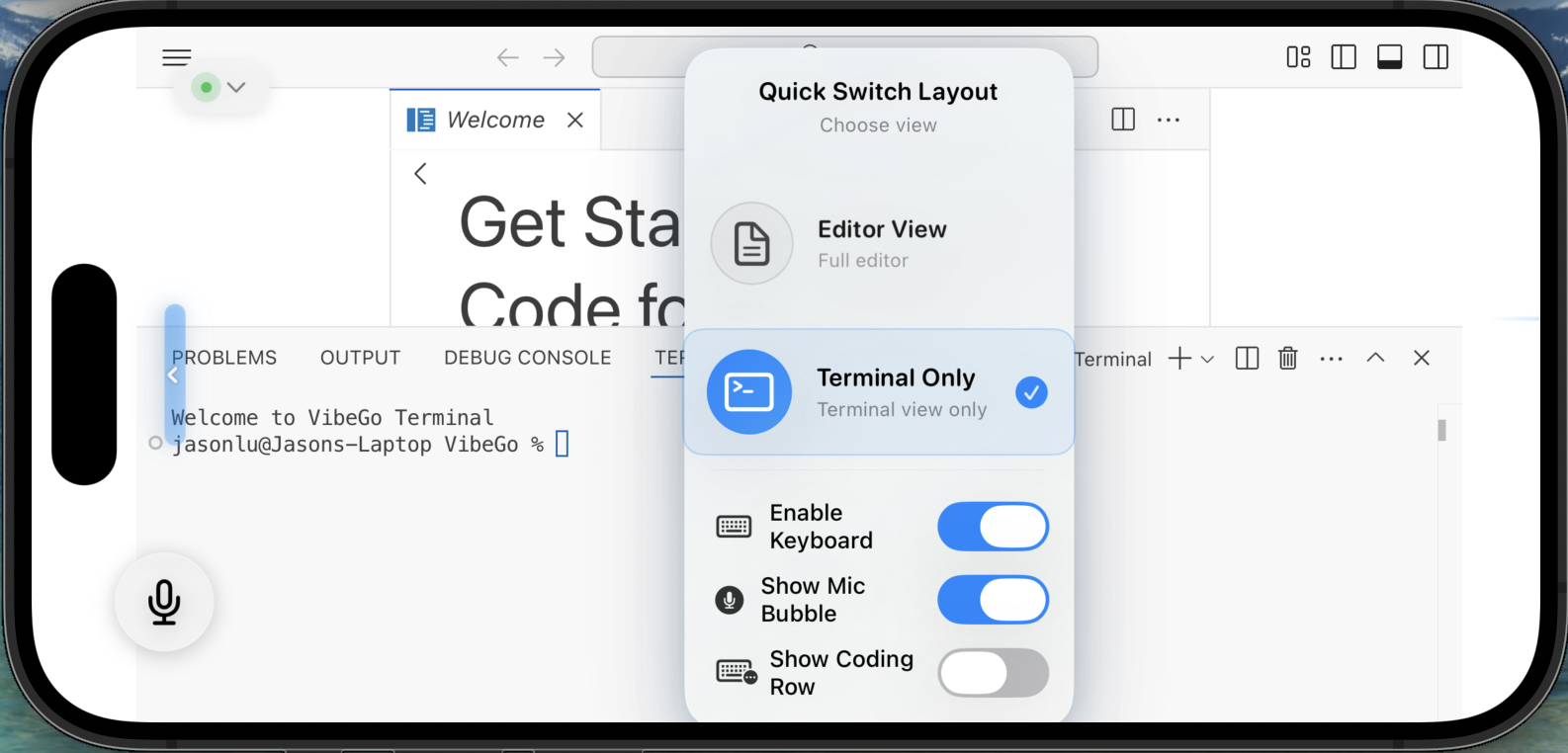
Quick layout switcher

Quick Switch Layout offers one-tap swaps between editor, terminal, or split views to match whatever the agent (or you) need next.
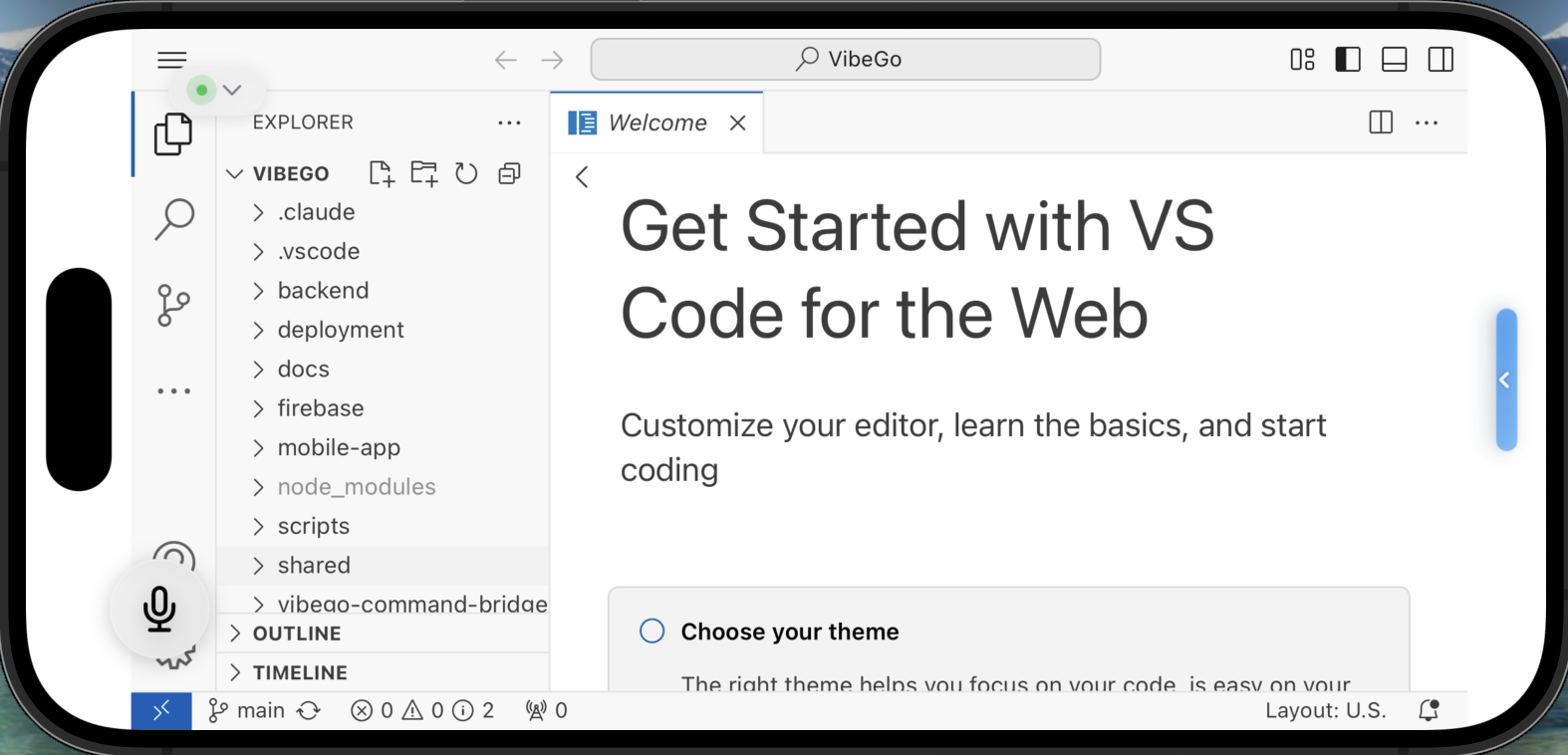
Editor view

Editor view hides everything but your files while the command bridge quietly keeps panels in sync.
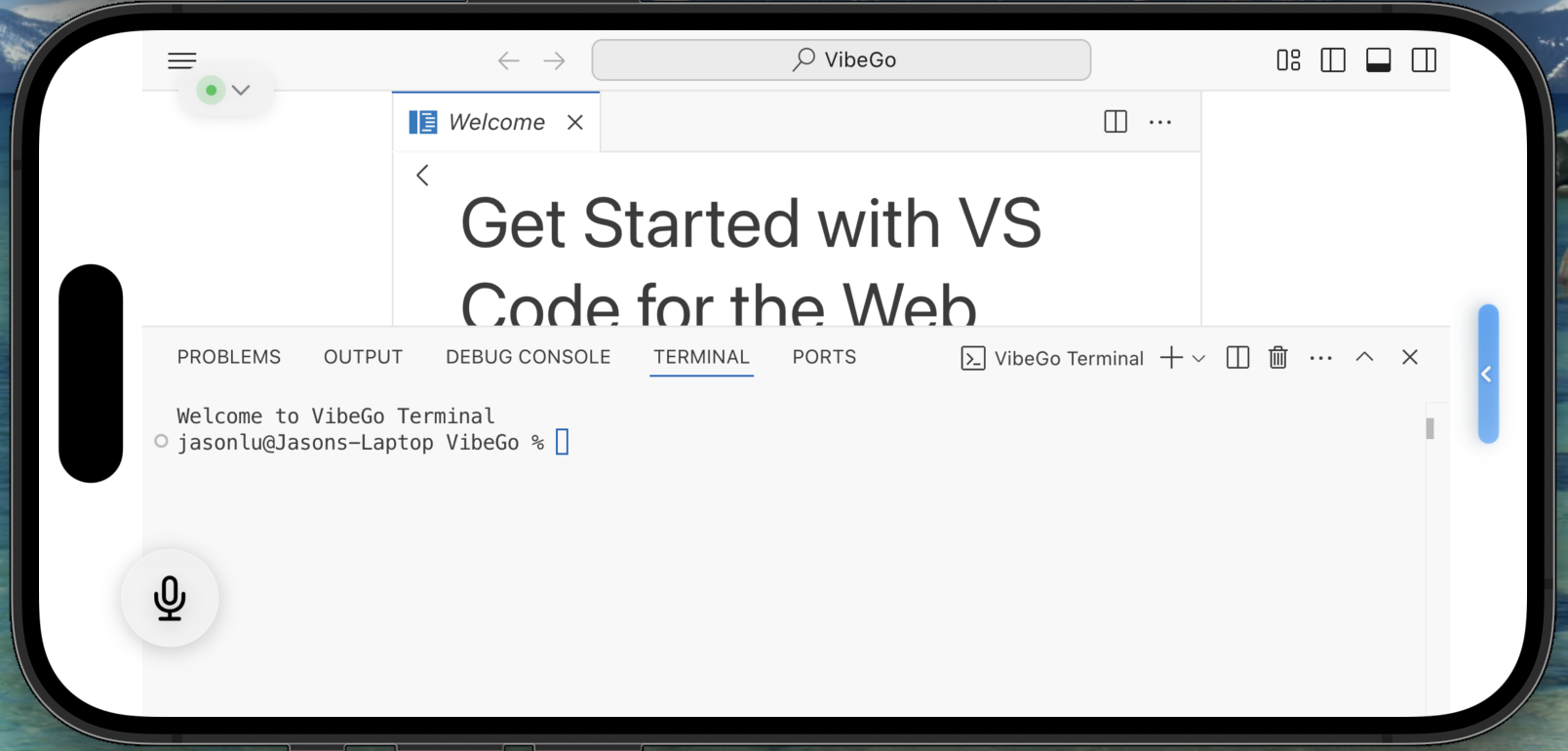
Terminal-only layout

Terminal mode stretches logs edge to edge so port forwarding, attach debugging, and watch tasks stay readable.
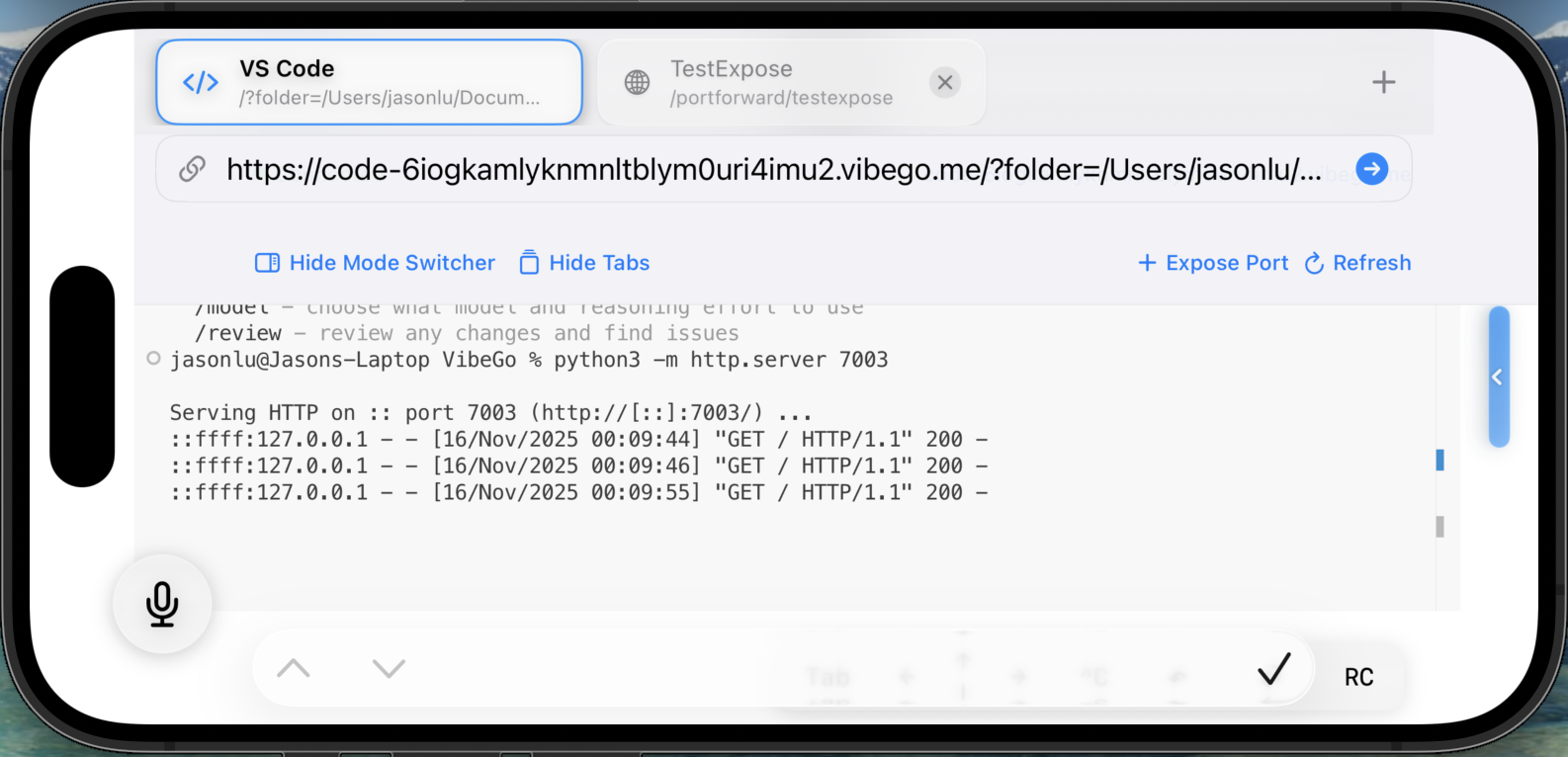
Expose ports & preview locally
Expose port selection

Select the service you want to share and VibeGo maps it to your persistent tunnel.
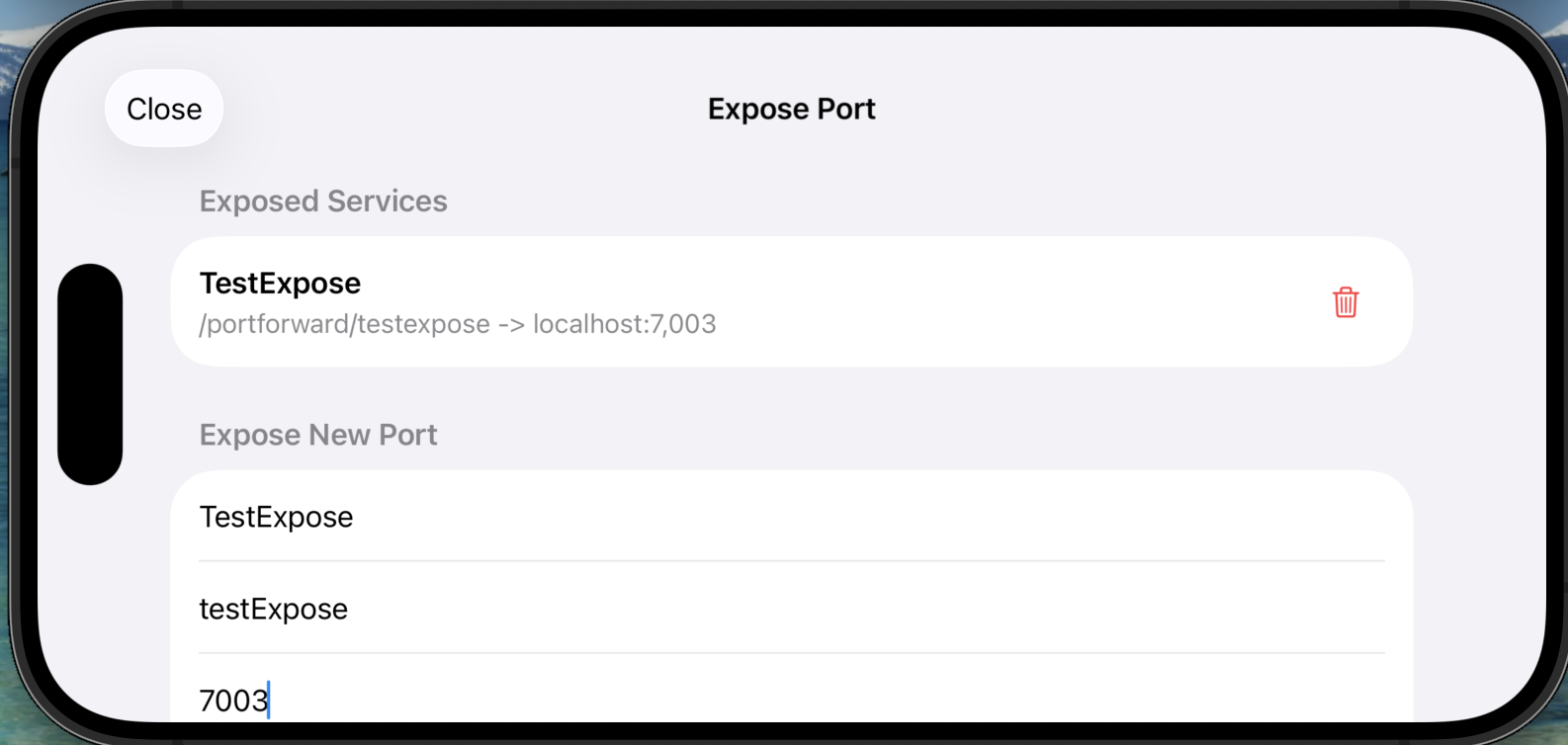
Expose port confirmation

Confirm the port and instantly get a secure URL plus localhost-style link.
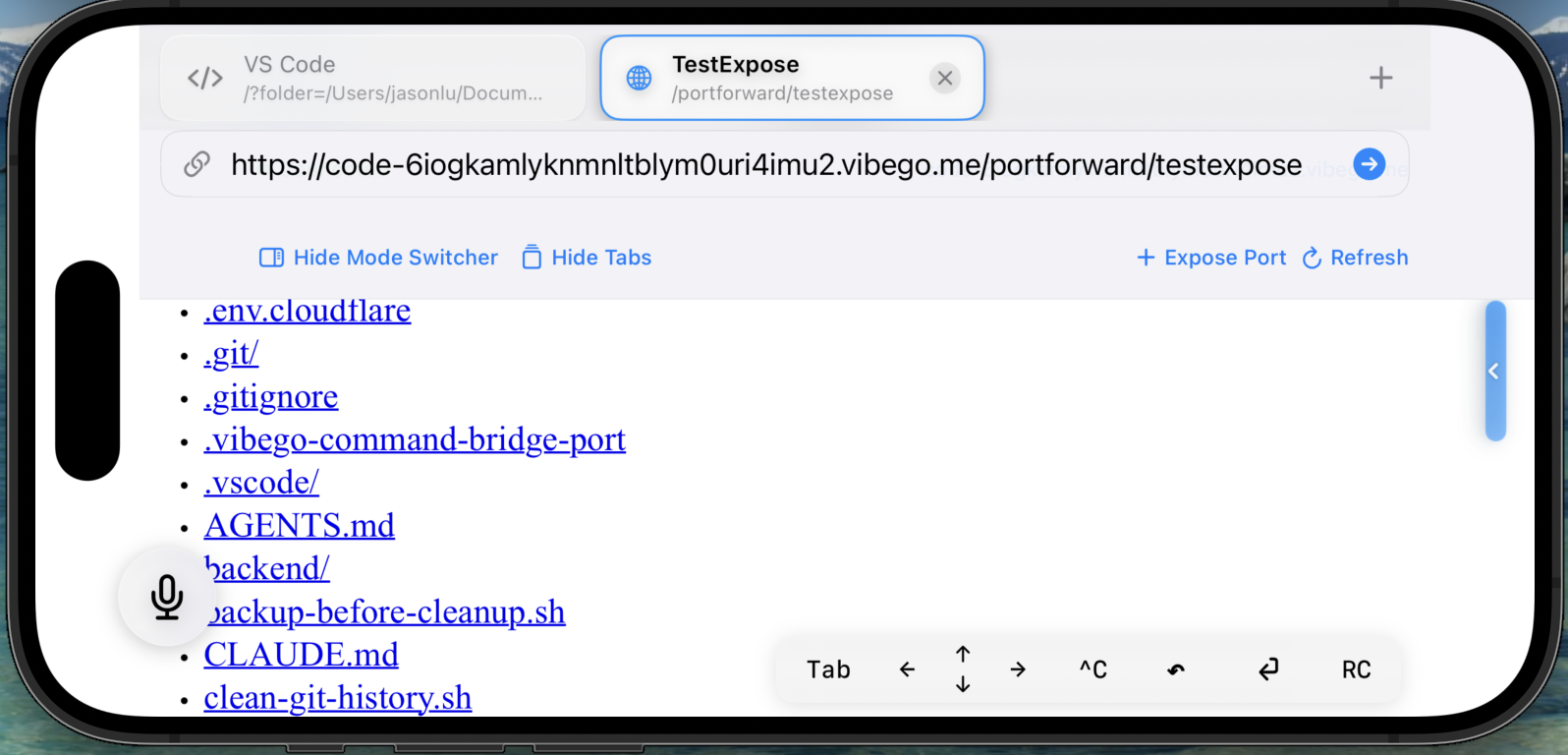
Expose port browser preview

Open the built-in browser and load localhost:8000 (or any exposed port) to debug UI on your phone.
What ships in VibeGo today

Every layer already lives in this repo - no vaporware.

Mobile workspace

  • Two workbenches: full VS Code (touch-friendly) plus a native iOS workbench for fast files/search/terminal/diffs and Source Control.
  • Use the native workbench to stage changes and commit from your phone.
  • Reconnect-aware: when the tunnel is reachable again, VibeGo retries after backgrounding or brief network drops.
  • Auto-reconnect to saved tunnels plus alerts when a session needs attention.
Private testing

Desktop extension

  • Starts the remote workspace (code-server) and a persistent tunnel with one click, including port forwarding and health checks.
  • Guided pairing flow powered by Firebase login + short-lived codes.
  • WebView dashboard to rename tunnels, view logs, and hand off URLs to teammates.
Desktop companion

Managed backend

  • Firebase Functions keep OAuth tokens fresh and clean up expired sessions automatically.
  • Cloudflare API integration provisions DNS + tunnel state so links stay stable.
  • Audit logging and alerting so we know when a tunnel misbehaves.
Expanding coverage

How VibeGo connects

Mobile, desktop, and backend stay in lockstep.

01

Authenticate securely

Users sign into the VS Code extension with Firebase + Google OAuth. PKCE, pairing codes, and JWT checks live in backend/functions.

02

Launch the mobile workspace

The desktop VS Code extension starts the remote workspace (including the command bridge) and makes it reachable; the iOS app connects and adds mobile controls.

03

Keep tunnels alive

Cloudflare tunnels managed by the desktop extension expose a stable code-<uid>.vibego.me URL so the phone can reconnect quickly - even after app restarts.

Get the tools

Install the VS Code extension and download the iOS app.

VibeGo for iOS

App Store

Native SwiftUI app that connects to your dev machine via the VibeGo extension, with touch-first controls, haptics, and quick reconnect.

VS Code extension

VS Code Marketplace

Manages Cloudflare tunnels, pairing, Firebase auth, and the WebView dashboard.

code --install-extension TercesehtLLC.vibego

FAQ

Quick answers to the stuff people ask before they install.

Does this run code on my phone?

No - your dev machine runs the workspace. VibeGo makes it usable from iOS, with a VS Code view and a native workbench for quick tasks.

Do I need to open ports on my router?

No. VibeGo uses tunnels so you can reach your workspace and exposed localhost ports without punching holes in your network.

Can I preview my localhost app on iPhone?

Yes. Expose a port (3000, 5173, etc.) and open it in the built-in browser to test UI on the actual device form factor.

What happens if my laptop sleeps?

The tunnel goes offline. When your machine is back, VibeGo reconnects and you can keep going.

Is this just VS Code in a browser?

It includes a full VS Code view, but also a native iOS workbench for files, terminal, diffs, and source control when you want something more phone-friendly.

About VibeGo

We started VibeGo to put a real VS Code workspace in your pocket. Install the extension, pair once, and open your workspace and localhost ports from iOS - without resorting to brittle VNC-style setups or stripped-down mobile editors.

As AI agents draft more code, the work shifts to fast review, iteration, and shipping. VibeGo keeps the IDE visible and controllable on your phone so you can steer changes, run commands, and ship from anywhere.

Contact

Questions, feedback, or support - we'd love to hear from you.

Reach the core team:

admin@terceseht.com